- Blog
- Building the Immich editor
Building the Immich editor
January 30, 2026
— Immich Team
A bit of background about the Immich editor and some of the technical challenges we ran into while building it.
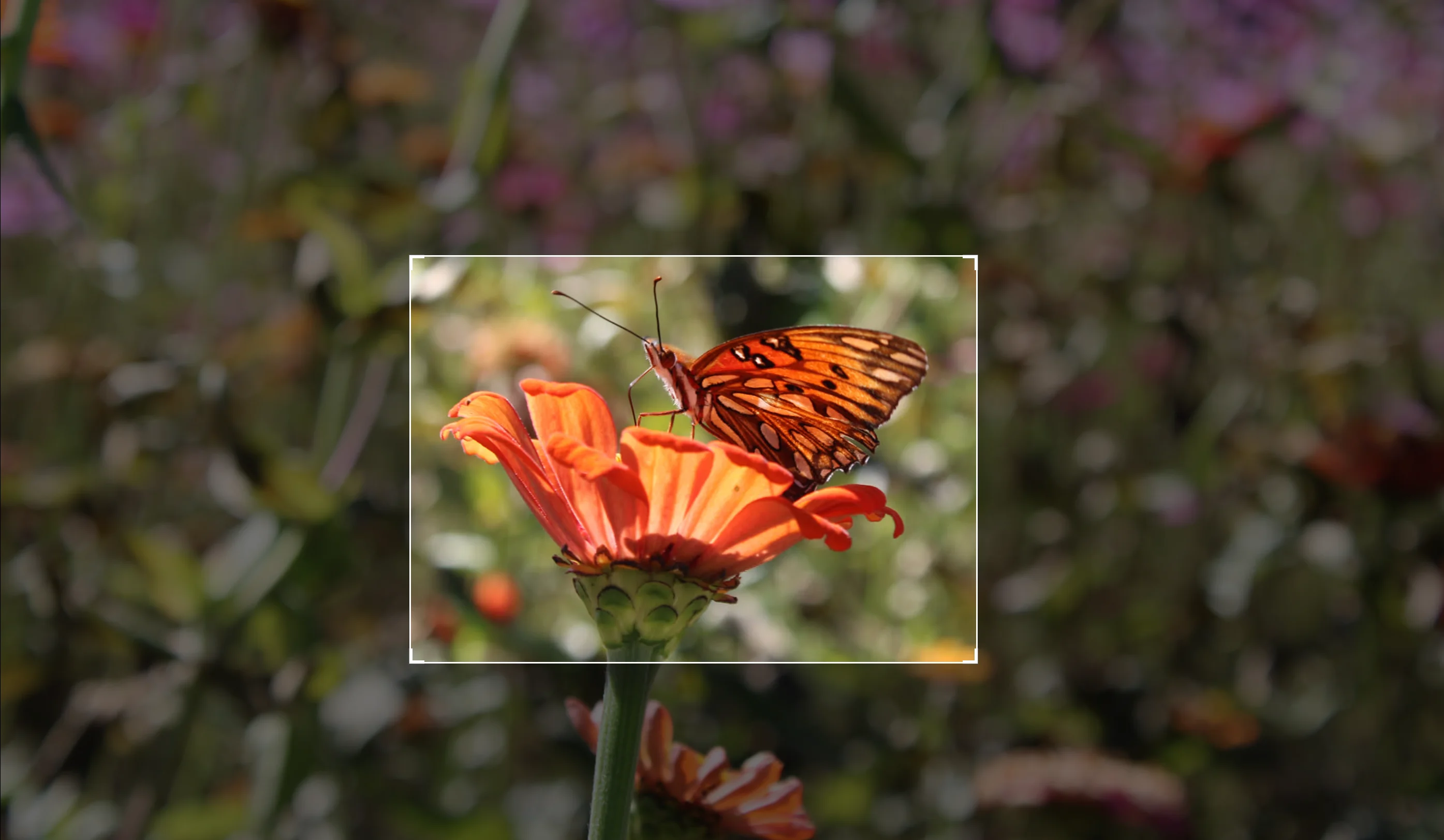
Building a basic editor directly into Immich isn't exactly something that hasn't been tried before. In fact, there have been plenty of failed attempts (see #3271, #5151, #9575, #11658, etc). It's obviously a highly requested feature, especially for rotation, so what makes it so difficult? Well, it turns out that there are actually a lot of considerations that make it quite complicated. When a pull request for editing finally did get merged, it was a massive change, totaling over +8,000 lines of added code. Some of the questions we had to discuss included:
- Do you save the edited file as a copy or overwrite the original?
- If you save it as a copy, how do you maintain a link to the original?
- What happens when the original is deleted?
- If you overwrite the original, how do you cache-bust thumbnails that have now been invalidated?
- Do you build support for edit history, and the option to revert edits?
- Do you use the orientation field in exif for a basic, non-destructive 90/180/270 rotation style transformation? If so, what are the implications for HEIF/HEIC images where orientation is only informational?
- Do you support editing RAW files?
- Do you support editing video files?
- Do you generate the preview image, used by the editor client-side or server-side?
- How do you make the preview in the editor immediately responsive to changes?
- If client-side, how? And, how to make sure the generated image is consistent across browsers, displays, etc.
- If server-side, how do you make it fast enough that it can be used as a preview? What about low-end hardware?
- And what about in the mobile app?
- What are the implications for sharing when something is edited?
- Do you use a third party editing library or build something from scratch?
- If 3rd party, is there support for all the file types we support, and can we make the user interface match the visual style of the rest of the application?
There are probably even more things we discussed, that I don't even remember anymore 😅. The good news is we were able to solve just about all of these issues and deliver something that we're super proud of.
Why we don't save a copy
Initially we explored the idea of having clients upload the generated image as a new asset. The benefits of this approach are mostly around simplicity. It's easy enough to render an image, apply some changes to it, and then export and upload it. In fact, an external contributor added a simple editor on mobile that did exactly this. It turns out this has a few drawbacks, which include:
- Copies are derived from thumbnails which are lower quality and don't contain the original metadata
- Rotation fixes don't change the original asset, which may still be shared with the wrong orientation
- No support for undoing a crop, rotation, or making any adjustments to the edit after the fact
So, we decided against saving edits as new assets.
Why we don't use EXIF's Orientation
This was actually something I personally tried to implement. The Orientation field in the EXIF specification represents the direction the image should be rendered and has values that can be used to express rotation (90, 180, 270) and mirror (flip horizontally or vertically). I actually had a working solution, but it also had a few downsides:
-
Orientationis informational for HEIF images
What does that mean exactly? It means, that if I changed the value from "Horizontal" to "Rotate 90 CW" it would still be rendered as "Horizontal". Per the specification, the value in Orientation is explicitly supposed to be ignored. The format has a way to represent transformations, including rotation. So, if the Orientation field was used you would end up with double rotated images. This has actually caused some issues with different clients, since every other format in the world uses that field for orientation, so it's just a big mess.
- Thumbnails need to be regenerated, even though the actual pixel content hasn't necessarily been changed, only the orientation.
- Some RAW formats get their thumbnails from embedded images, and it's a bit more of a pain to get
Orientationchanges to correctly apply (when needed) to all the variation of thumbnails, especially when some are auto-rotated by the library we use and some are not - Rotation is limited to 90° angles, making it impossible to "straighten" an image
So, we decided against saving orientation changes in Exif Orientation
Why we do use an edit history table
In the end we decided to create a new table to track the edits for each asset. We store a list of modifications (dubbed "Edit Actions") for the associated asset, and then can apply them where and when we need to. The idea is pretty simple, but it solved a lot of our problems. With this design we are able to implement rotation and crop, both with arbitrary values. When thumbnails are generated we simply use the edit configuration to crop & rotate the thumbnails as appropriate.
Also, we are able to generate what we call a full size preview. It is a preview image derived from the original image, but converted to JPEG or WEBP, depending on your configuration. This is an improvement over the mobile editor, which relied on the locally available preview. Having a list of edits in the database also opens the door for the client to support addition types of edits in the future, like filters, which we plan to add in the future.
Client editors
The client editors had a few requirements:
- Be able to apply all supported editing operations in a clean, simple manner
- Have a real time preview of what the resulting image would look like
- Be able to load existing edits in a deterministic way, regardless of the ordering of the edits.
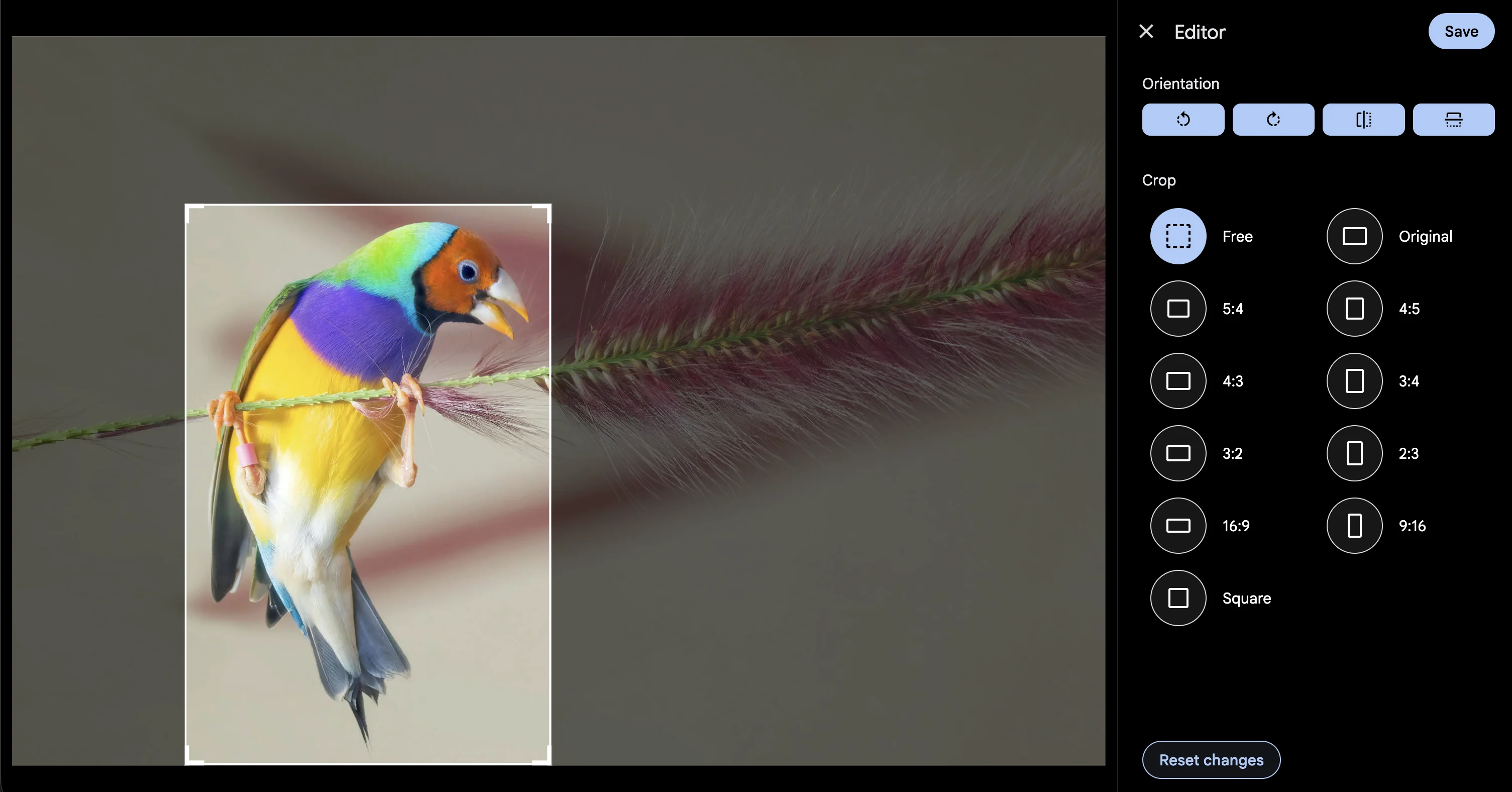
Editor experience
We actually already had a web editor built into Immich (#11074). However it didn't really do anything nor was it enabled in the UI. This editor was quite far from what we needed to fully support editing but, it was an excellent base to start and already implemented the majority of edit operations needed. It required some work to update it to use Svelte 5 Runes, and quite a bit of refactoring was done to get it ready.
We made some changes to the side panel and the way the edit tool is structured to make it possible to add more editing operations in the future (filters anyone? :D). It was surprisingly hard to get a clean, simple editor that had all the functions we need while also leaving room to support additional operations.
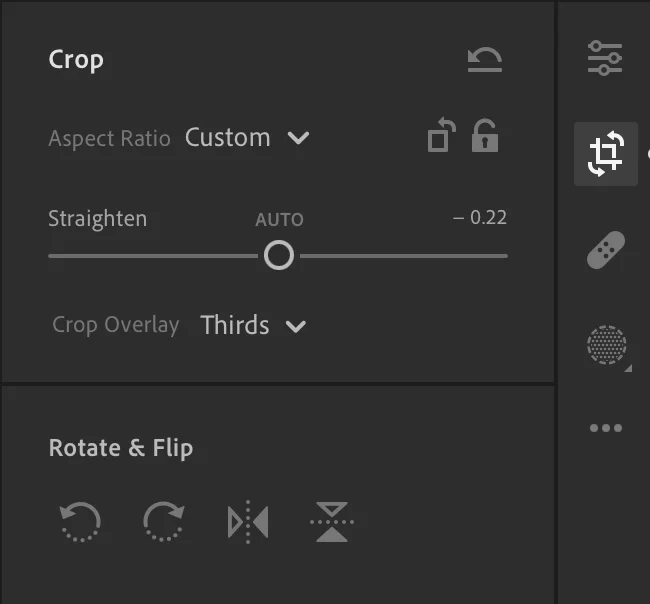
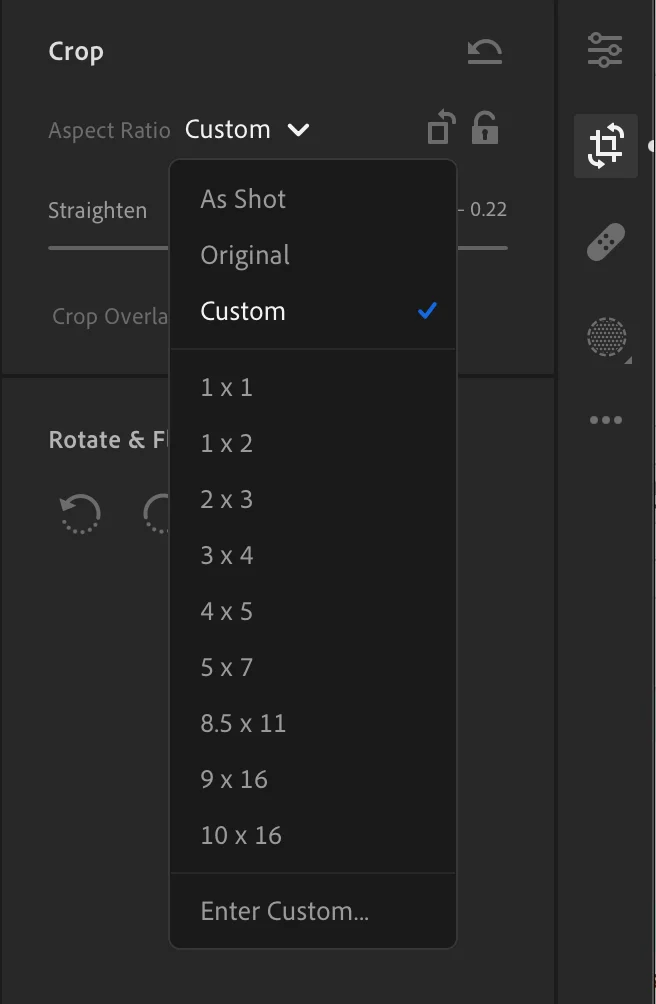
We initially looked at Lightroom for inspiration as to how we should structure the controls for transformations. We put aspect ratios in a Select component and provided transformation buttons in a similar setup. This got annoying to use really quick as it took 2-3 clicks in order to select an aspect ration and orientation. Since we had the extra space, we decided to to use it.
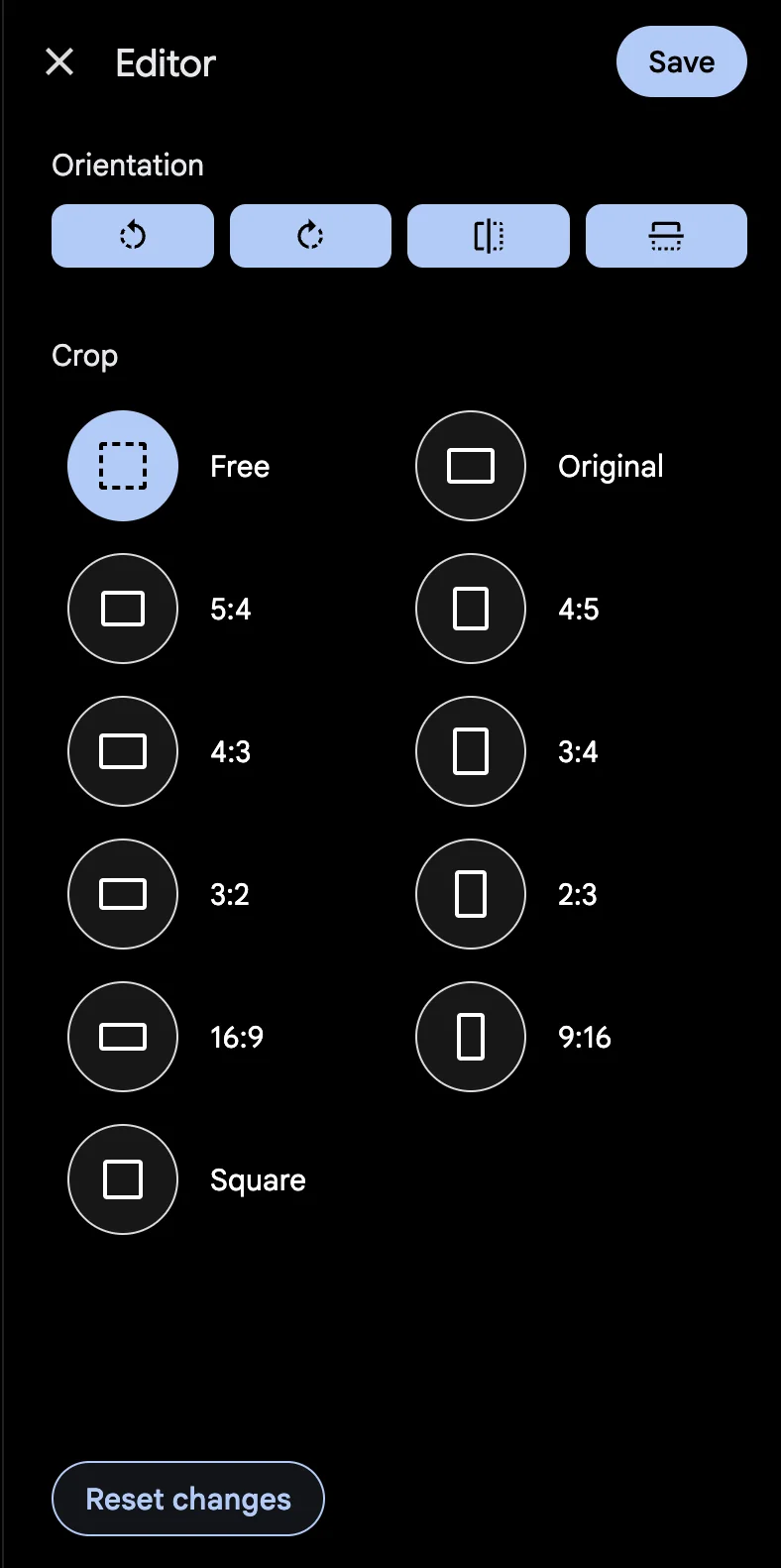
We opted to use a similar structure as the "App who shall not be named". This included 4 aspect ratios (most commonly used for photo printing) in both portrait and landscape orientations, a square aspect ratio, an "original" aspect ratio that matched the original asset, and a "free crop" mode. We formatted these nicely in the large area we had on the side of the window. It is now only a single click to change the aspect ratio!
Live previews
The biggest challenge was real-time previews. The easiest system would probably have been to just apply all edits to the image in the browser with Sharp. This would have produced the exact same photo as what was generated on the server. The problem with this is every modification would have taken 200+ ms to process. This does not work when you need to support 60+ FPS interactions (max of 16ms per modification).
This problem was solved all the way back in 1996 with the incredible invention of CSS. CSS already natively supports mirroring and rotation of an element. Crops could be represented with a movable "window" with CSS. A bonus with CSS is you get access to transitions. These are built into CSS and provide automatic animation when the browser changes values. We were able to smoothly animate all edit operations!
We also wanted to support color filters. CSS allows you to apply matrix filters to an image. It turns out, these matrix filters can be represented in Sharp via a recomb and offset operation. This sets us up nicely to support these in the future™️ (#25519).
Resume editing
From an API perspective, we support any ordering of operations (except for crop, that must come first if it exists). We run into trouble when we want to load these imports back into the editor to make adjustments. Mirroring and rotation operations are not commutative (remember that from elementary school?!). We ran into issues when we simply loaded the different operations into the editor since a rotate → mirror was different than mirror → rotate.
Fortunately, there's some ✨ cool math ✨ called affine transforms that can help us with this problem. Rotations, mirrors, skews, and many other image transformations can be represented in a NxN matrix called an affine matrix. We can construct an affine matrix and derive a set of rotation and mirror operations that would work in the editor using this cool algorithm (thanks @danieldietzler!).
export const normalizeTransformEdits = (edits: EditActions) => {
  const { a, b, c, d } = buildAffineFromEdits(edits);
  const rotation = ((a === 0 ? Math.asin(c) : Math.acos(a)) * 180) / Math.PI;

  return {
    rotation: rotation < 0 ? 360 + rotation : rotation,
    mirrorHorizontal: false,
    mirrorVertical: a === 0 ? b === c : a === -d,
  };
};
This allows us to take an arbitrarily large set of mirrors and rotations in any order and import them back into the editor as a single rotation and a mirror either horizontally or vertically.
Implications of an edit history table
There were a few implications that we needed to address. Immich wasn't originally designed for assets to arbitrarily change after their initial import, so there were a few things that we needed to handle.
Face and OCR visibility
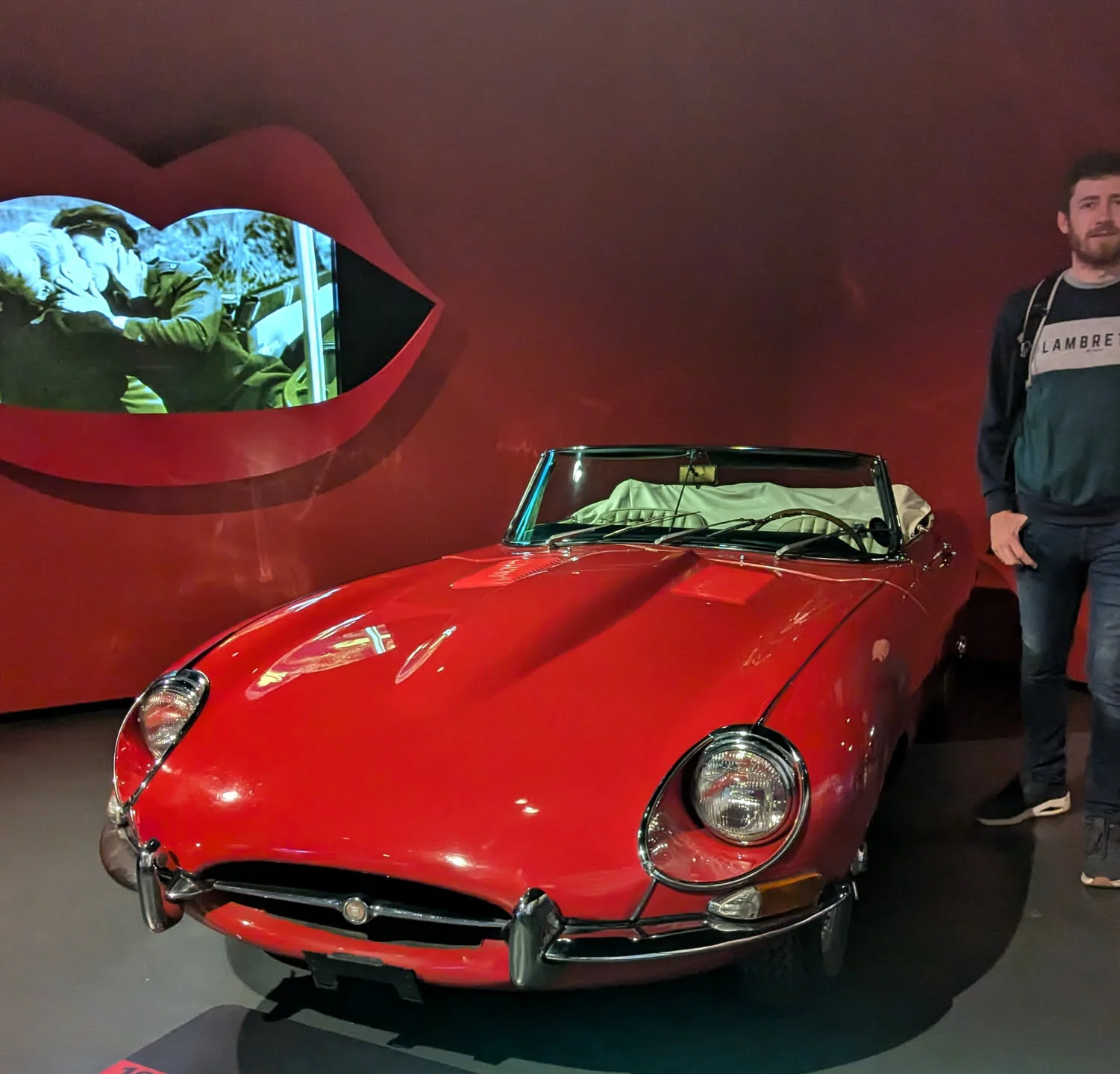
One of the issues was what should be done with faces and text that no longer appear in the resulting area of a cropped photo? Should you still see Alice and Bob as tagged people in an image that doesn't actually display them anymore? Should you still return the image in a search for "Mich" if that text has been cropped out? To overcome this, we added an isVisible column to the people and text records, which we toggle on or off, depending if most (>50% of bounding box area) of the item appears in the final image or not. When edits are saved, these flags are updated at the same time.
Bounding box coordinates
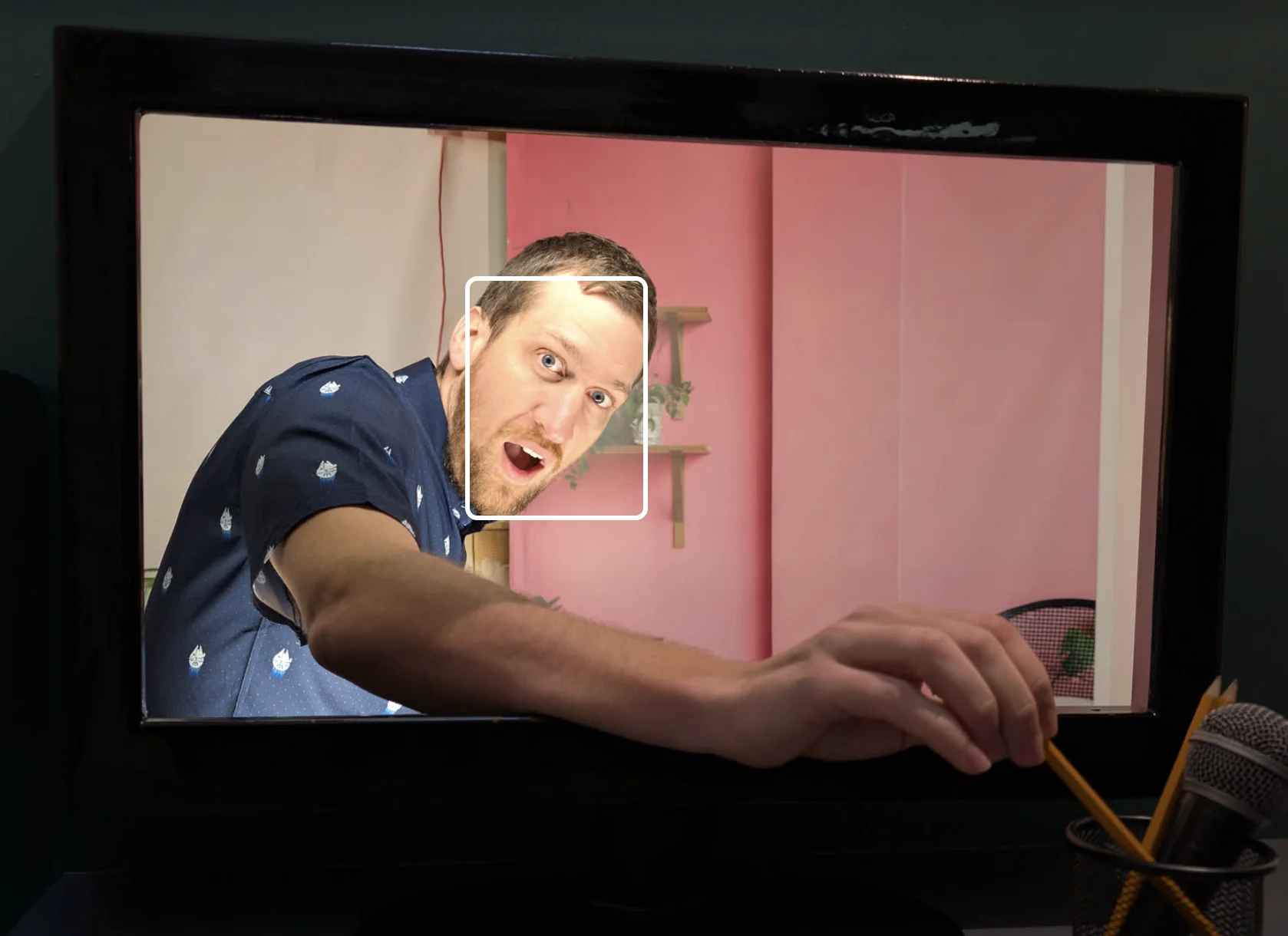
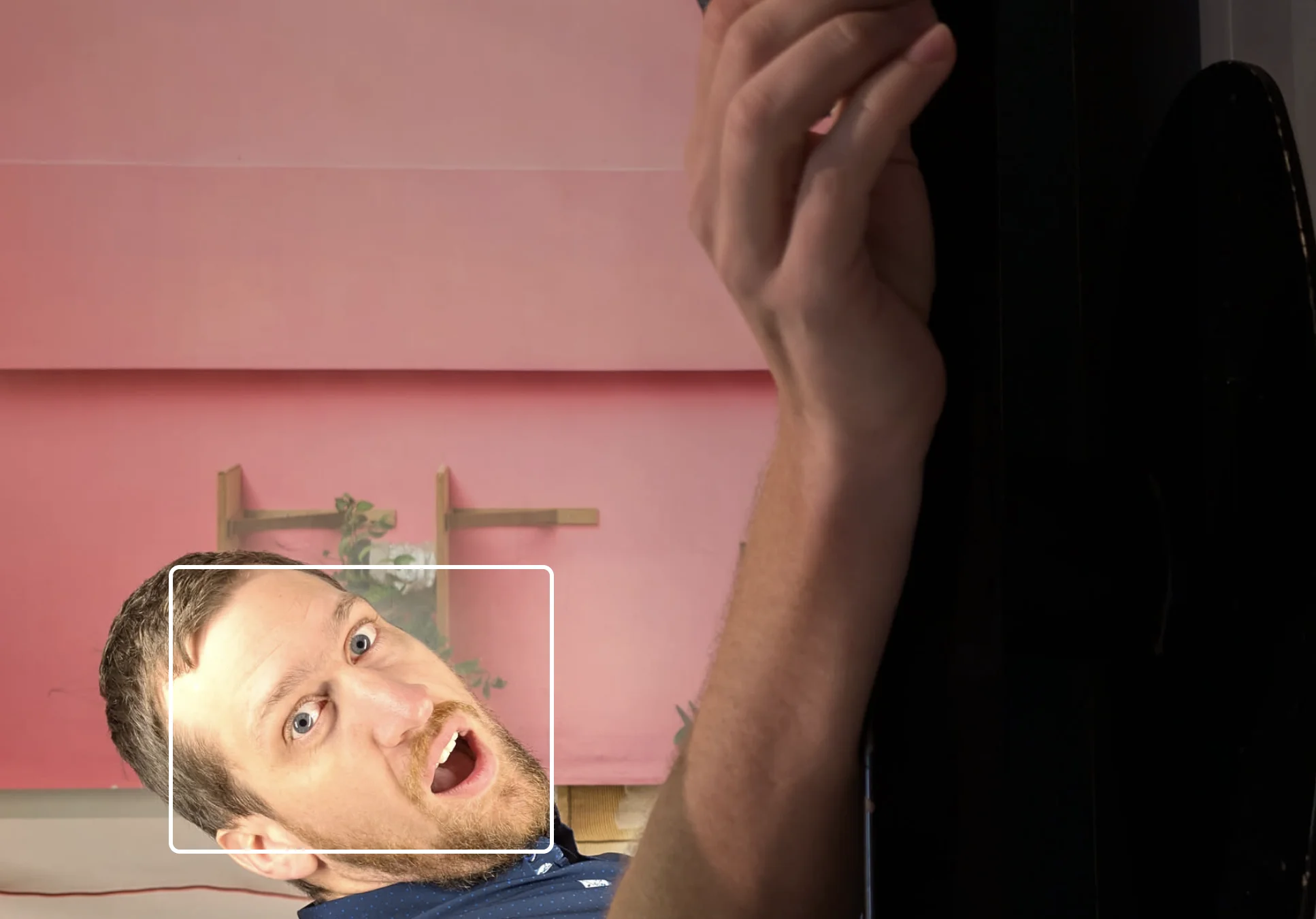
We also use bounding boxes to highlight the detected face or text. These bounding boxes need to be adjusted so they continue to line up with the now cropped or rotated image. Crops are easy because we can simply transform the points by the new origin of the crop. However, transforming points when mirrors or rotations occur is a bit trickier.
We can use our friend affine transforms to help us though! The coordinates of each bounding box can be converted to the new image by multiplying them with the affine matrix. This math is extremely efficient and thus we can transform coordinates at request time to serve to the user.
Our image processing library, Sharp (based on libvips), also supports applying an affine transform to an image. Thus, we can represent all transforms, excluding crop, as an affine matrix to both generate edited thumbnails and apply transformations to bounding boxes.
Breaking changes
Ever since Immich went stable, we have been hard at work making sure that new features do not conflict with varying versions of client and server on the same major version. Additionally, we ensure that changes to the API do not cause issues with consumers of said API. The biggest question we faced with this version was whether we should send the edited version of an asset by default at the downloadAsset and viewAsset endpoints. We opted to keep those endpoints returning the unedited versions to maintain stability. To fetch the edited version with either endpoint, a simple query param (?edited=true) can be added to communicate to the client that an edited version, if available, should be used.
Editing became available with a server version of v2.5.0 and mobile clients will similarly see the edited version of thumbnails and previews once they are on v2.5.0 or later.
Current limitations
Due to the complexity of this feature, there are some limitations that we plan to revisit in the future.
- We only support images for editing. The pipelines used to process video are much different than those used to process images. We need to port all of our editing operations to ffmpeg filters to support editing videos. We also think we could add some cool video specific actions like length trimming and speed adjustments.
- We do not support live/action photos. Live photos are actually 2 files, a photo and a video file. Because of limitation #1, we cannot apply the same edits you apply to the image portion to the video portion. This would cause weird behavior when viewing the "live" portion as it would look like the original.
- We do not support editing 360 panoramas, gifs, or SVGs. These require more domain specific editor changes that we felt were outside the scope for the first iteration of an editing feature.
Hopefully all of these limitations will be addressed at some point with additional contributions.
After 8000+ lines, and an additional 10+ follow-up pull requests (it turns out there's a lot of unintended side effects 😂), it was finally released in v2.5.0. Most of this work was completed by @bwees, who absolutely smashed it out of the park. We hope you enjoy it and look forward to continue to improve it in the future.
Cheers,
The Immich Team